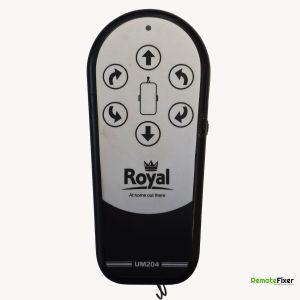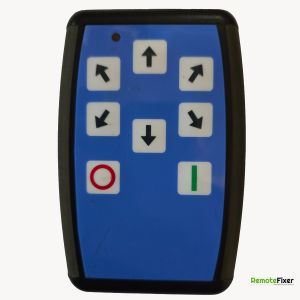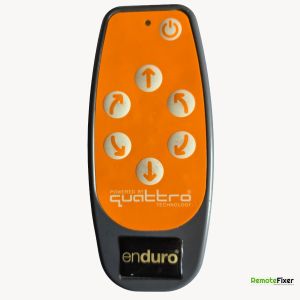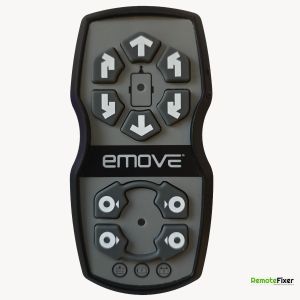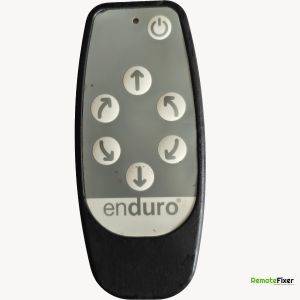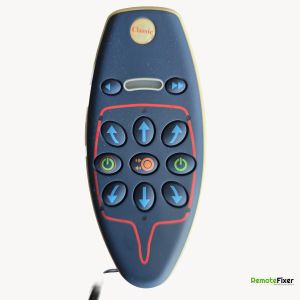
Royal UM203 Remote Control Repair Service

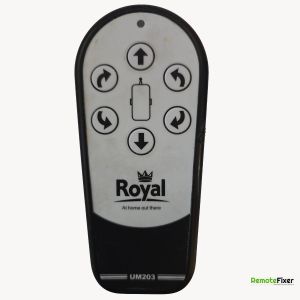
Device Specifications
| Make: | Royal |
|---|---|
| Model: | UM203 |
| Signal Type: | Radio Frequency |
| Equipment Type: | Caravan Motor Mover |
| Frequency: | 433Mhz |
Available on eBay

Motor Mover Remote Handset Purpleline Enduro Quattro Royal Towsure Autoengage
£102.00
Buy It Now
View on eBay
Independent Repair Service Notice:
We are an independent repair service and are not affiliated with any of the brands or manufacturers shown on this website.
All items are customer-owned devices sent to us for professional repair services.
Brand names and logos are used for identification purposes only.
Have a Faulty Remote?
No Fix, No Fee Policy
Fixed Price Repairs
Professional Repair Service
Let our experts repair your remote control with our guaranteed service.
Book Your Repair NowDescription
This is a Royal branded radio frequency caravan motor mover remote control handset.
Pairing Process (Generic Steps Based on Similar Systems):
- Turn off the remote control if its on.
- Power on the control unit via the caravans main power switch or isolator.
- Press and hold the reset button on the control unit until an LED (often green or red) starts flashing. This indicates the control unit is in pairing mode. Release the reset button.
- Turn on the remote control. Some systems require pressing a specific button (e.g., the reverse or power button) while turning it on. The LED on the control unit may flash faster to confirm the remote is detected.
- If the remote has a flashing LED when powered on, this may indicate its searching for the control unit.
- Once the LED on the control unit stops flashing or changes to a steady light, the remote should be paired.
Pairing Process (Generic Steps Based on Similar Systems):
- Turn off the remote control if its on.
- Power on the control unit via the caravans main power switch or isolator.
- Press and hold the reset button on the control unit until an LED (often green or red) starts flashing. This indicates the control unit is in pairing mode. Release the reset button.
- Turn on the remote control. Some systems require pressing a specific button (e.g., the reverse or power button) while turning it on. The LED on the control unit may flash faster to confirm the remote is detected.
- If the remote has a flashing LED when powered on, this may indicate its searching for the control unit.
- Once the LED on the control unit stops flashing or changes to a steady light, the remote should be paired.
Ask a Question about this Remote Control
Have a question about the Royal UM203? Ask us below and we'll get back to you!
Royal UM203 FAQs
Response:
Battery cable needs replacing.